There is a software fault affecting KM 8000 hobs used with M Sense cookware.
A software update to improve the issue is currently being developed.
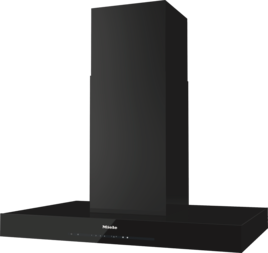
Con@ctivity does not work or is unreliable.
A software update to improve the issue is currently being developed.
Activate the Con@ctivity function as follows:
Press the Run-on sensor control for 10 seconds.
Press the − sensor control or the 1 sensor control twice.
Press the Lighting sensor control.
If the LED is flashing, Con@ctivity is switched off.
To activate the Con@ctivity function, press the + or IS sensor control.
Subsequently the LED or LEDs must light up continuously.
Press the Run-on sensor control to save the activated setting.
The hob and the cooker hood are connected to WiFi and linked to a Miele user account.
Remove both appliances from the Miele app.
Close the Miele app completely.
Start the Miele app.
The hob and the cooker hood must be recognised as newly found Miele appliances.
Connect both appliances to the Miele user account using the add to your appliances button.
Wait for 15 minutes.
The Con@ctivity function is now set up.
Make sure that the hob and the cooker hood are always connected to the same WiFi access point (AP).


