A programme has been selected in which the use of UltraPhase 1 and 2 is not recommended or possible with this washer-dryer.
Use the detergent drawer for dispensing detergent.
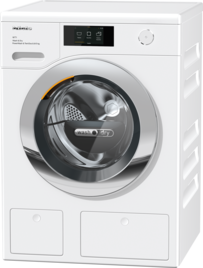
The washer-dryer’s TwinDos system cannot be used.
Use the detergent drawer for dispensing detergent.
Please book a repair appointment online.
Models with display control field and sensor controls Up arrowDown arrow
Touch the Down arrowUp arrow sensor controls simultaneously until Language Flag Language appears on the display.
You are now in the Settings menu.
Touch the Down arrowUp arrow sensor controls until the TwinDos setting appears on the display.
Confirm your selection with OK.
Select Detergent and confirm your selection with OK.
Select Compartment 1 and confirm your selection with OK.
Select the desired detergent and confirm your selection with OK.
The dispensing quantity must then be set on an individual basis. Please set the dispensing quantity according to the information on the detergent packaging, using the details recommended for normally soiled laundry. Use the sensor controls to make the setting and confirm your selection with OK.
The detergent type and dispensing quantity for compartment 1 have been set.
Repeat this process for compartment 2.
To exit the settings, touch the Down arrow or Up arrow sensor controls repeatedly until Back Back arrow appears on the display.
Touch the OK sensor control.
Models with touch display
Open Settings.
Select the programme sequence.
Select TwinDos.
Select Select detergent.
If No detergent is selected, the corresponding TwinDos compartment function will be deactivated.
Select the desired detergent and follow the instructions on the display.


